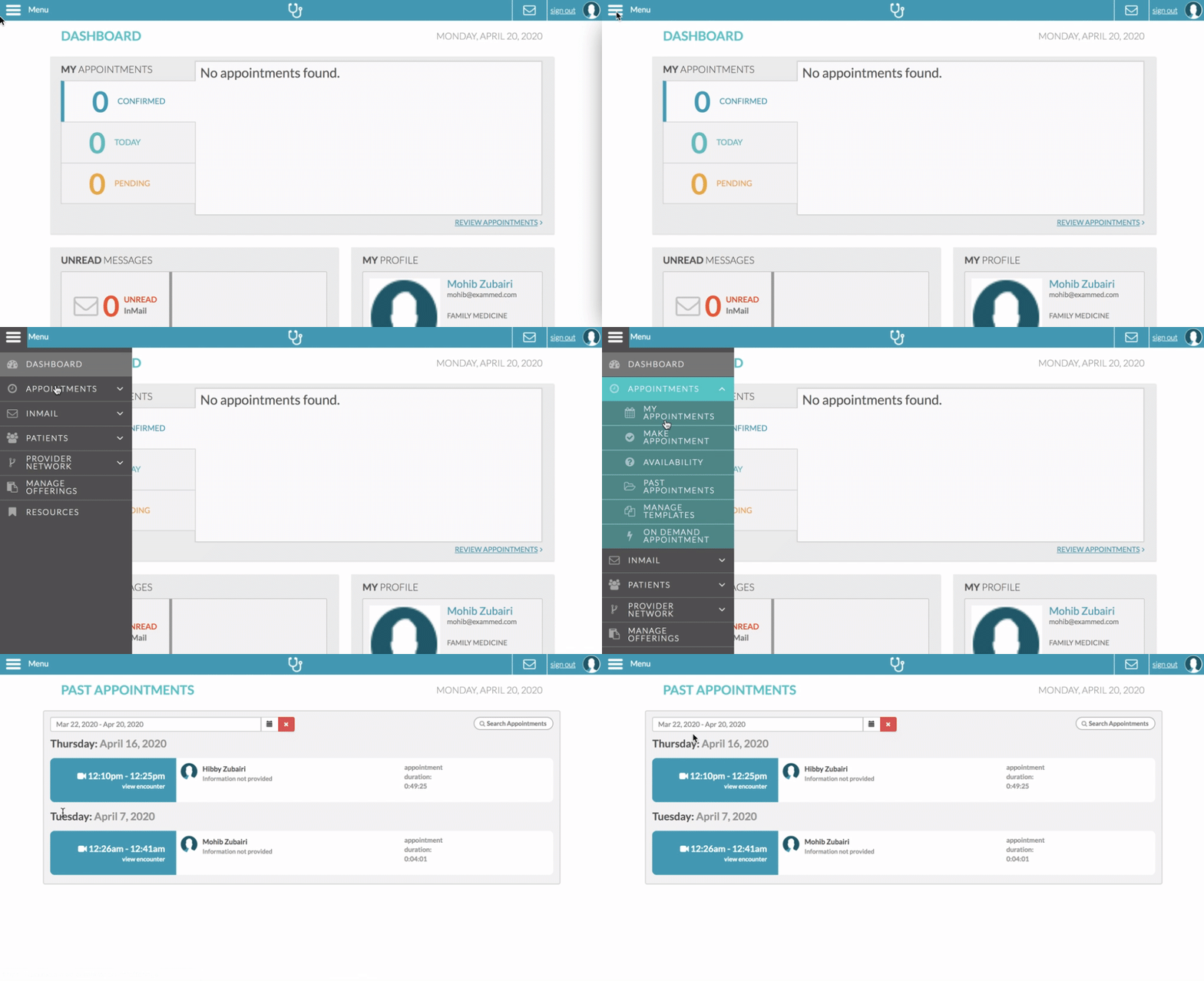
To view a previous appointment:
- Click Menu > Appointments > Past Appointments
- Once you are on that page, you will be able to search by:
- Date range in the top left corner

- Patient name via the search box in the top right corner

- Date range in the top left corner
- You will be able to view encounter and appointment notes by clicking on View Encounter next to the appointment you wish to see

- From the encounter summary, you can click the Print Summary button to save or print the encounter